Benjamin Franklin said: "Failing to plan is planning to fail". Yet, in the age of AI, we often dive straight into implementation without establishing a clear understanding of what we are building. Conductor, a new extension now available in preview for Gemini CLI, changes this workflow by using context-driven development. Rather than depending on impermanent chat logs, Conductor helps you create formal specs and plans that live alongside your code in persistent Markdown files. This allows you to plan before you build, review plans before code is written, and keep the human developer firmly in the driver's seat.
The philosophy behind Conductor is simple: control your code.
Instead of diving straight into implementation, Conductor helps you formalize your intent. It unlocks context-driven development by shifting the context of your project out of the chat window and directly into your codebase. By treating context as a managed artifact alongside your code, you transform your repository into a single source of truth that drives every agent interaction with deep, persistent project awareness.
Conductor allows you to:
As developers ourselves, most of our work involves established codebases ("brownfield"). This is often where AI tools struggle, lacking the nuanced understanding of a project's history and architecture.
Conductor approaches this challenge with a pragmatic, context-driven philosophy. When introduced to an existing project, Conductor initiates an interactive session to help you create a foundational set of documents about your project’s architecture, guidelines, and goals. As you build new features and take on new tasks, Conductor updates this shared context, ensuring its knowledge grows alongside your project.
This is just our first step. You’ll see significant improvements in this area in the coming months as we continue to invest in making Conductor an indispensable partner for your existing projects.
Conductor allows you to set project-level context for your product, your tech stack, and your workflow preferences. You can set these preferences once, and they become a shared foundation for every feature your team builds. For example, teams can define an established testing strategy that would automatically be used by Gemini.
By centralizing your technical constraints and coding standards, you ensure that every AI-generated contribution adheres to your specific guidelines, regardless of which developer runs the command. This shared configuration accelerates onboarding for new team members and guarantees that features built by different people feel like they were written by a single, cohesive engineering team.
Conductor is a structured workflow for agentic development which is ideal for tasks more complex than simple code edits. Unlike a standard chat session which is confined to a single session, Conductor uses a set of Markdown files to plan and track progress over time. These Markdown files persist in your repository, enabling you to pause and resume work and move between machines. Here’s a high-level overview of how it works.
When you run /conductor:setup, Conductor helps you define the core components of your project. This context can then be used for building new components or features by you or anyone on your team.
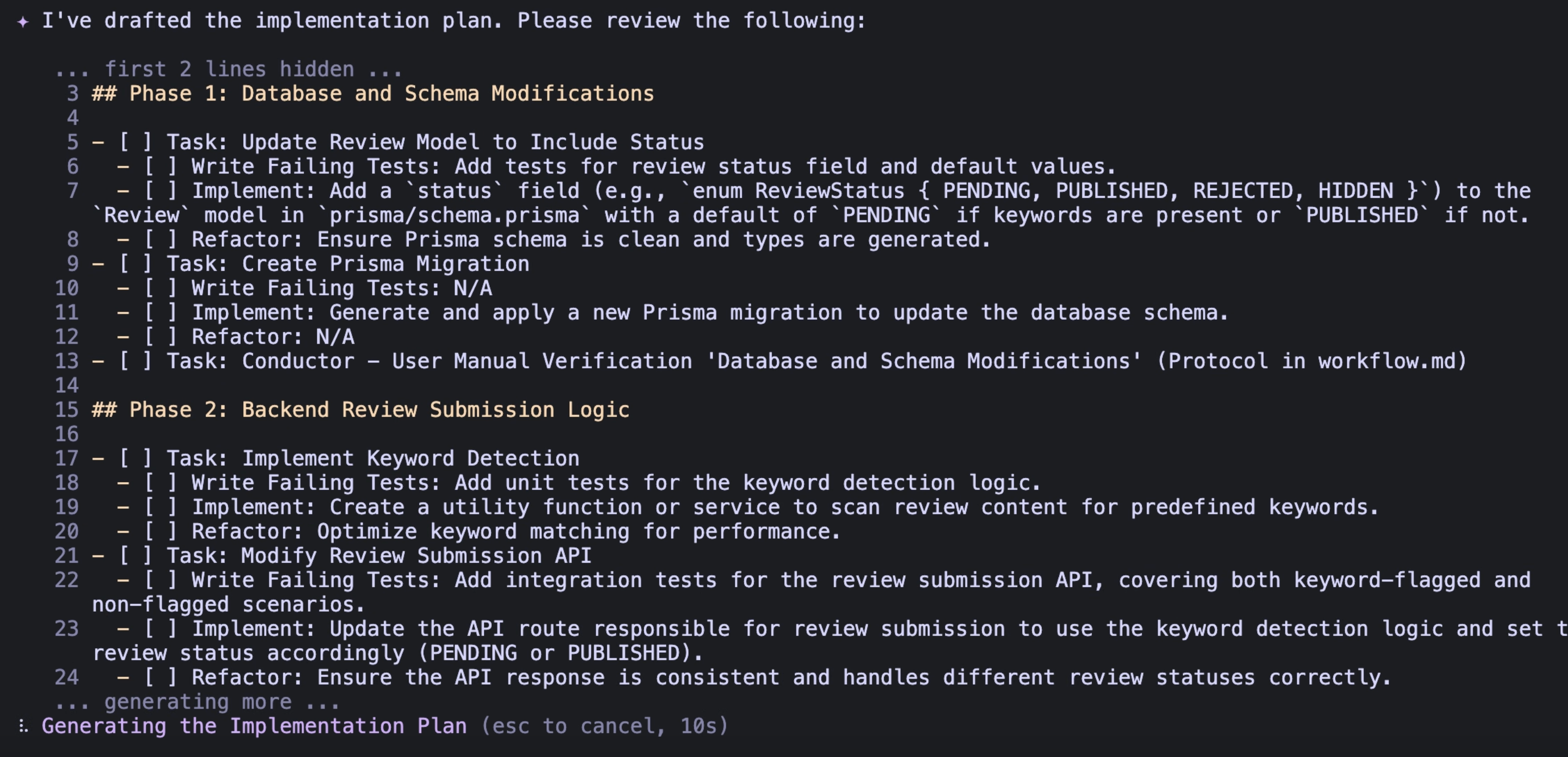
When you’re ready to take on a new feature or bug fix, run /conductor:newTrack. This initializes a track—our term for a high-level unit of work. Instead of immediately writing code, Conductor helps you generate two critical artifacts for your track:
Conductor will walk you through creating each of these artifacts and will suggest answers based on the context it has to help you quickly build high-quality specs and plans.
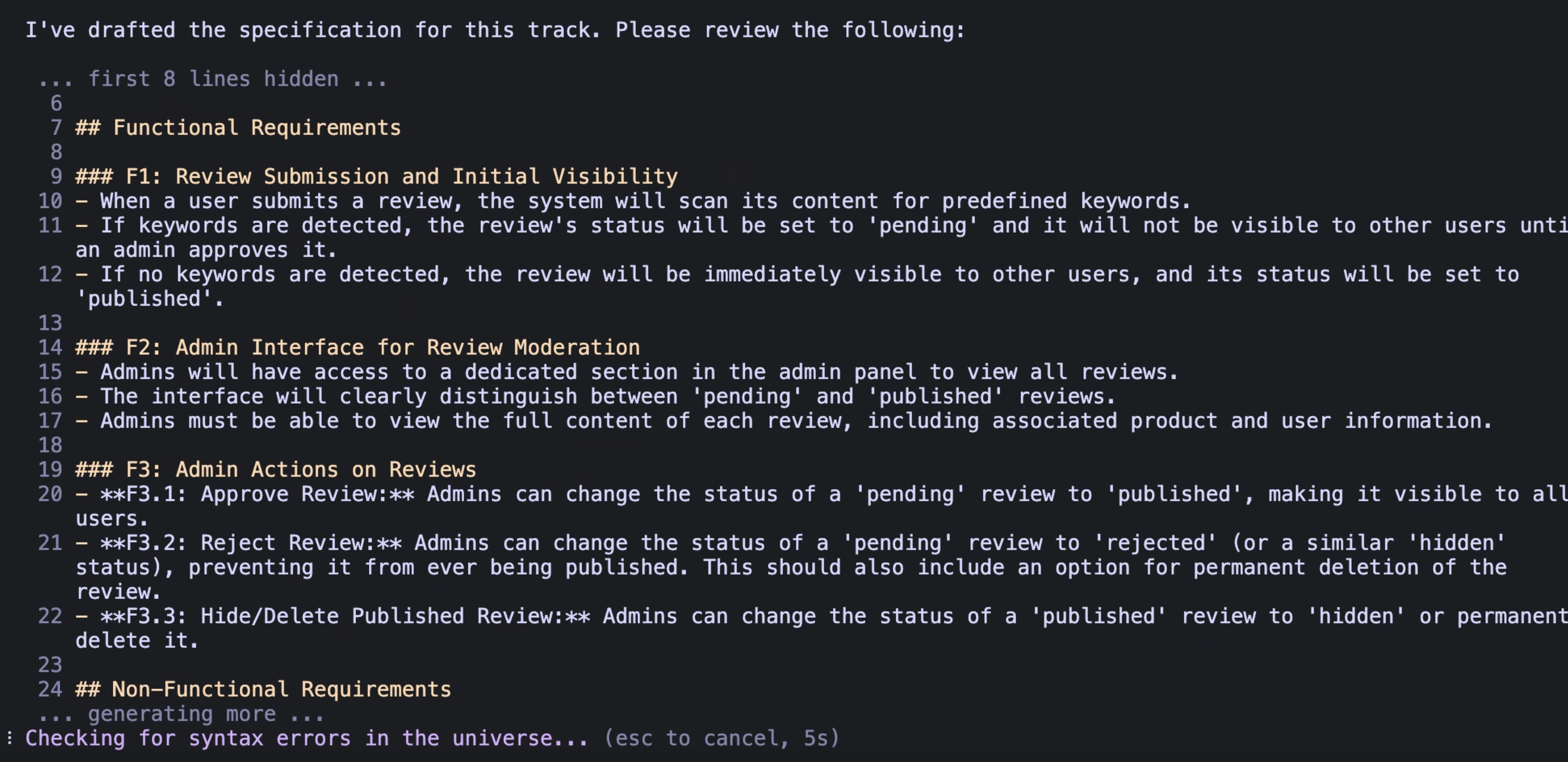
Once you approve the plan, run /conductor:implement. Your coding agent then works through the plan.md file, checking off tasks as it completes them. Because the state is saved in a file, you can stop, grab coffee, and resume later without losing your place. We’ve also included checkpoints for reverting to a previous version, as well as the ability to edit the plan mid-flight.
We believe that context-driven development leads to higher quality outcomes for complex projects. By treating your documentation as the source of truth, you empower Gemini to act as a true extension of your engineering team.
Install the extension and start using Conductor today here or by using the following command:
gemini extensions install https://github.com/gemini-cli-extensions/conductor