
Google AI Edge Gallery now supports the Model Context Protocol (MCP), notifications reminders, and persistent chat history—providing developers with a showcase to build connected, automated, on-device agentic experiences.
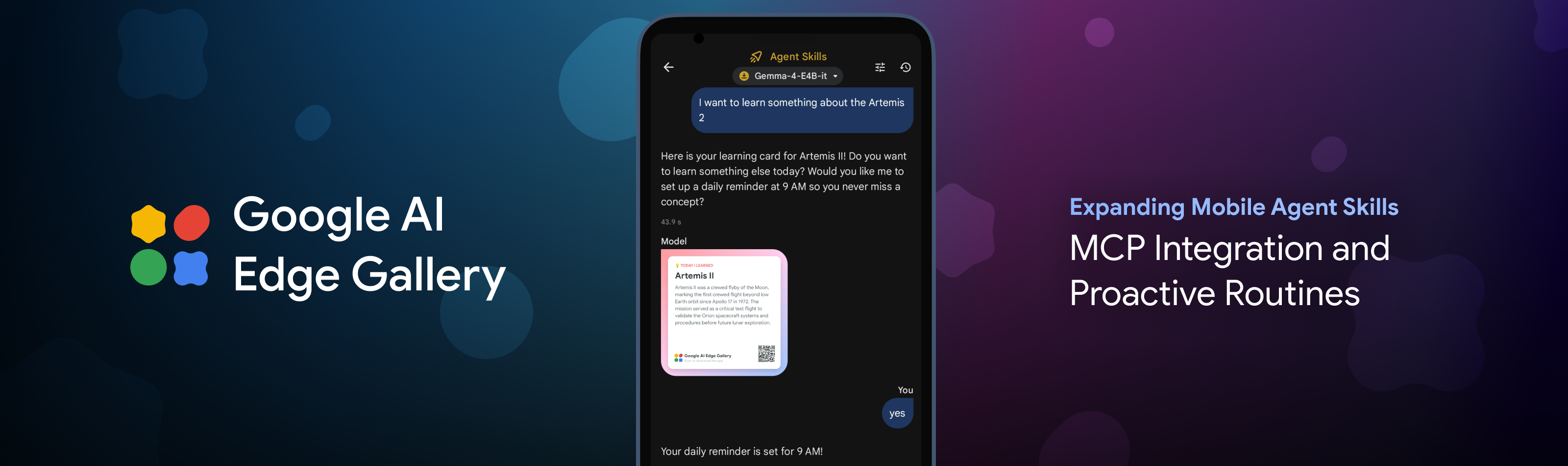
Google AI Edge Gallery (Android / iOS) is an on-device AI showcase app allowing users and developers to interact and build with Gemma and other open models. Last month, we introduced the capability to deploy agentic workflows directly on mobile devices using Gemma 4. Today, we are expanding the core capabilities of the app to bring more connected, proactive, and persistent interactions. By supporting the open-source Model Context Protocol (MCP), local notification reminders, and chat history, we are making the app a more useful place to experience and chat with models locally, giving you a playground to explore how you can coordinate tasks across your data and routines.
To augment an LLMs on-device capability, they need a standardized way to interact with the world outside the app sandbox. Based on developer interest in more flexible agent architectures, Google AI Edge Gallery now supports the open-source Model Context Protocol (MCP) over Streamable HTTP as an experimental feature in the Android app. The update to the iOS app is coming soon.
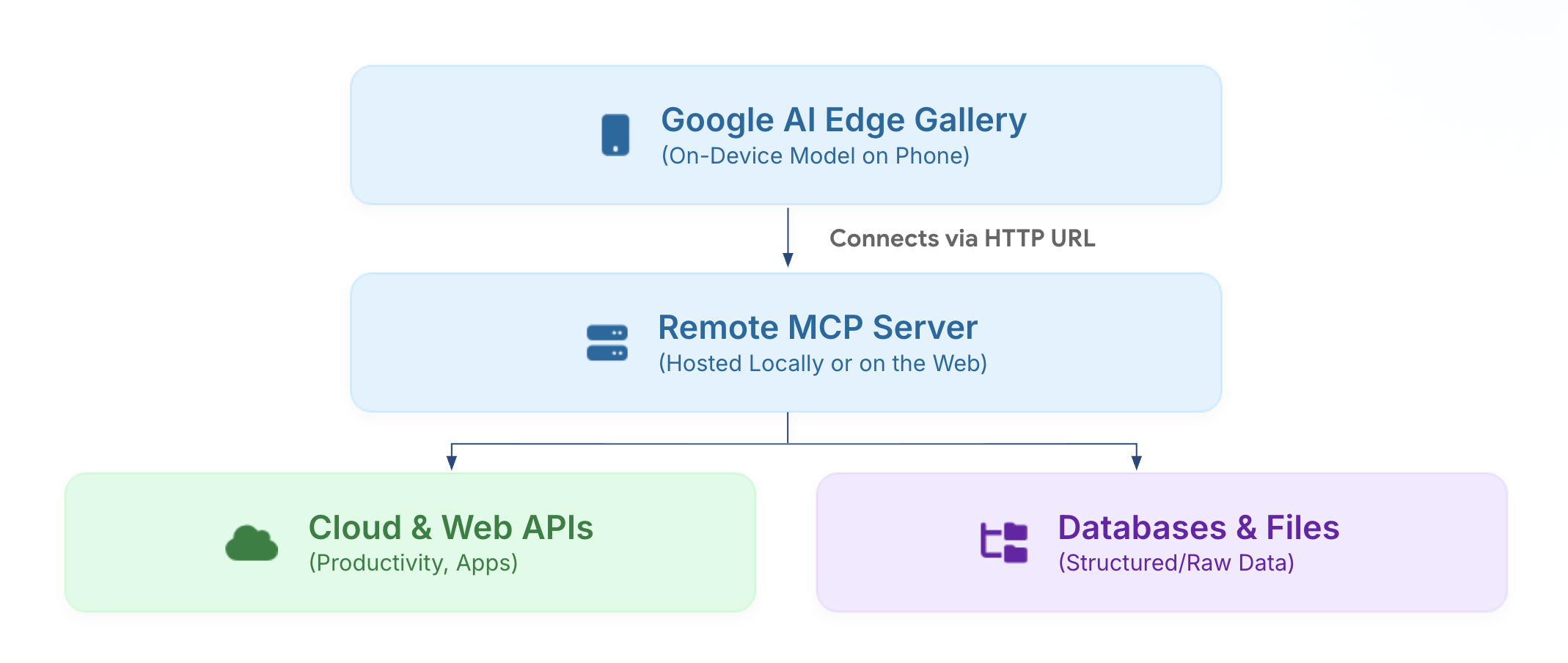
By registering a valid MCP URL inside the app, the app dynamically imports tool definitions and resource schemas directly into the on-device model’s system prompt. The reasoning and decision-making then happen entirely on your phone. When you ask a question, Gemma 4 automatically determines which tool is needed and generates the call locally; the request is then executed by the MCP server, which can be running on your home computer or a secure cloud endpoint.
This architecture allows the mobile device to coordinate complex tasks across various data sources and functional tools. For example:
Because on-device models operate within a smaller context window than large server-side models, we recommend keeping your MCP tool descriptions short. When returning data, sending back bite-sized snippets is preferred over long text to keep the experience fast and responsive.
Technical documentation and example configurations are available in our GitHub repository.
So far, AI interactions in the app have been reactive—the user opens the app and types a prompt to start a session. To enable more automated use cases, such as scheduled interactions, we’ve built a new "Schedule Notification" skill that makes it easy to set up manual routines.
If you tell the agent, "Remind me to log my mood every night at 10 PM," it schedules a local notification. When you tap that notification, the app opens directly to the right tool and starts a session with Gemma 4, ready to help.
Here are a few examples of how these proactive routines change the experience:
In addition to new agent skills, we are addressing your top community feedback by introducing every-day app enhancements that provide more flexibility when experimenting with on-device models.
Using the fast prefill capability of the LiteRT-LM backend, we’ve added support for persistent chat history, allowing you to resume sessions while maintaining the state of text, images, and audio inputs. On modern phone GPUs, prefill speeds can exceed 3,000 tokens per second, allowing the model to restore long session contexts almost instantly.
Alongside session continuity, we’ve introduced the ability to edit the custom system prompt directly within the chat settings. This provides developers with the control to experiment with prompt engineering techniques, define specific model personas, or enforce strict output constraints for their on-device agents.
The Google AI Edge Gallery ecosystem is built on an open-source toolkit. While the skills we design provide inspiration, the true power of innovation resides within our developer community.
On our official GitHub Skills Discussion page, the community is using on-device models and edge hardware to build highly-tailored, utility-focused workflows across many categories:
Download the latest version of the app from the Play Store and App Store, try out different skills, and upvote your favorites! For builders—whether you are bridging your data ecosystem with custom MCP configurations, creating skills for different workflows, or building your own app—head over to our repository, share your ideas, and let us know what you’d like to see next in the app.
We'd like to extend a special thanks to our significant contributors for their work on this project: Ashley Lin, Cormac Brick, Eric Yang, Geonsun Lee, Glenn Cameron, Hriday Chhabria, Ian Ballantyne, Jenn Lee, Matthias Grundmann, Sachin Kotwani, Na Li, Olivier Lacombe, Omar Sanseviero, Rishika Sinha
Innovation in the app experience is also driven by our developer community. We are deeply appreciative for their work in developing and contributing new agent workflows and skills: GitHub Discussions.
Explore this announcement and all Google I/O 2026 updates on io.google.


