Efficiency in the age of agents isn't just about writing code faster; it's about building custom tools that adapt to your specific environment. Whether you need to inject custom project context, enforce strict security policies, or automate testing workflows, a one-size-fits-all agent often falls short.
That’s why we’re introducing Gemini CLI hooks, a powerful new way to control and customize the agentic loop, allowing you to tailor the behavior of Gemini CLI without ever having to touch its source code.
Hooks are scripts or programs that Gemini CLI executes at specific, predefined points in its lifecycle. Think of them as "middleware" for your AI assistant. With hooks you can easily add custom logic that runs synchronously within the agent loop, giving you the ability to:
By configuring hooks, you can customize Gemini CLI to your specific project. When an event fires, the CLI waits for your hook to complete before continuing, ensuring your custom logic is always respected. This opens the door for you to build on top of Gemini CLI in any way you see fit.
One of the most practical uses for hooks is creating a security safety net. With a BeforeTool hook, you can prevent the AI from accidentally writing sensitive data, like API keys or passwords, into your codebase.
To see all the available hook event types in Gemini CLI, reference the official documentation.
The hook script (.gemini/hooks/block-secrets.sh):
#!/usr/bin/env bash
# Read hook input from stdin
input=$(cat)

# Extract content being written using jq
content=$(echo "$input" | jq -r '.tool_input.content // .tool_input.new_string // ""')

# Check for common secret patterns
if echo "$content" | grep -qE 'api[_-]?key|password|secret|AKIA[0-9A-Z]{16}'; then
  # Return structured denial to the agent
  cat <<EOF
{
  "decision": "deny",
  "reason": "Security Policy: Potential secret detected in content.",
  "systemMessage": "Security scanner blocked operation"
}
EOF
  exit 0
fi

# Allow the operation
echo '{"decision": "allow"}'
exit 0The configuration (.gemini/settings.json):
{
  "hooks": {
    "BeforeTool": [
      {
        "matcher": "write_file|replace",
        "hooks": [
          {
            "name": "secret-scanner",
            "type": "command",
            "command": "$GEMINI_PROJECT_DIR/.gemini/hooks/block-secrets.sh",
            "description": "Prevent committing secrets"
          }
        ]
      }
    ]
  }
}Now, whenever Gemini attempts to write or edit a file, the hooks script validates the content first. If a secret is detected, the operation is blocked, and the agent receives a clear explanation of why it was denied, allowing it to self-correct.
To ensure your hooks enhance your workflow without slowing you down, we recommend following a few key guidelines:
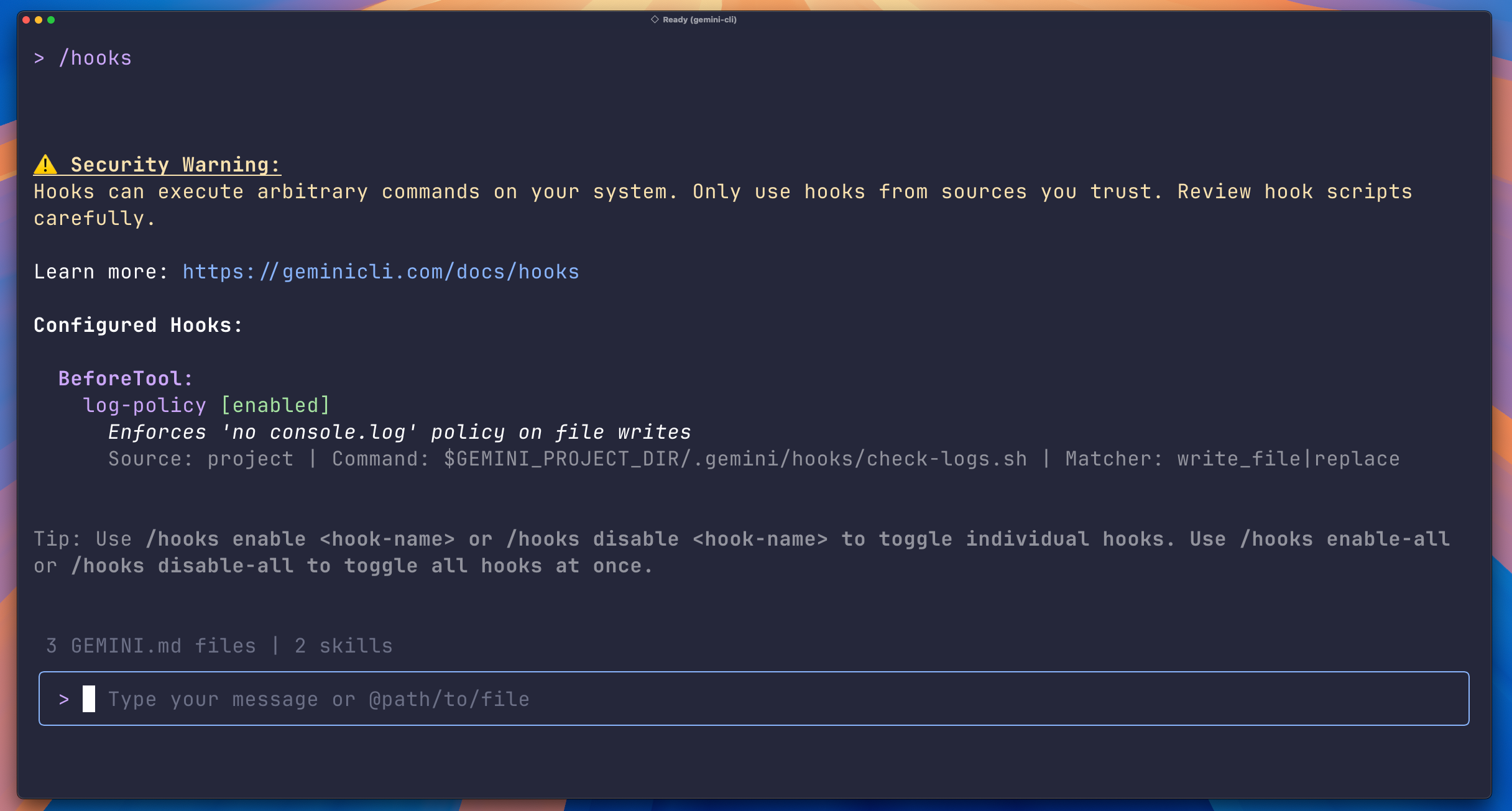
matcher property (e.g., "matcher": "write_file|replace") to limit execution to relevant events.Leverage the tooling: Use the /hooks command to show all hooks and their status.
The power of hooks isn't limited to your local configuration. Gemini CLI extensions now come with full support for hooks. Extension authors can bundle hooks directly within their extension, allowing users to install them with a single command and no manual configuration. See the extensions documentation on hooks to learn more on how to add hooks to your extension.
Hooks support brings a new wave of what is possible with Gemini CLI extensions. One example being the Ralph extension, which implements the viral "Ralph loop” technique. By leveraging an AfterAgent hook, the extension intercepts the agent's completion signal and forces it into a continuous, iterative loop.
This allows Gemini CLI to persistently continue away at difficult tasks while automatically refreshing its context between attempts to prevent the context rot that often plagues long sessions. It transforms Gemini CLI from a reactive assistant into a tireless, autonomous worker that doesn't stop until the job is done.
Another example of an extension with hooks is a Gemini CLI team member's evolution of the “Ralph loop” technique which follows a more rigid, iterative software development lifecycle process (with a bit of character and humor). View the extension here.
Hooks are enabled by default in Gemini CLI as of v0.26.0+. Update to the latest version by running:
npm install -g @google/gemini-cli@latestTo dive deeper and start building your first hook, check out our official documentation:
Try it out today and let us know how you're tailoring Gemini CLI to your workflow on our GitHub repository or on socials!
You can also follow Gemini CLI on X to stay up to date with the latest news and announcements.