
The real magic of AI happens when a model stops merely describing the world and starts interacting with it. One such interaction mechanism is tool-use: the ability to predict and invoke function calls, for example to open apps or adjust system settings.
Shifting tool-use on-device allows developers to build interactions that respond instantly while remaining fully functional regardless of connectivity. This enables, for instance, a natural language voice assistant to instantly create a calendar entry or navigate to a destination while you’re driving.
However, bringing this level of capability to mobile remains a formidable task. Traditional function-calling has historically required large models with memory footprints far exceeding mobile hardware constraints. The real engineering challenge is to compress these models into a mobile footprint, while maintaining accuracy and without draining the battery.
Today, we are excited to announce several major updates to Google’s on-device AI showcase app Google AI Edge Gallery:
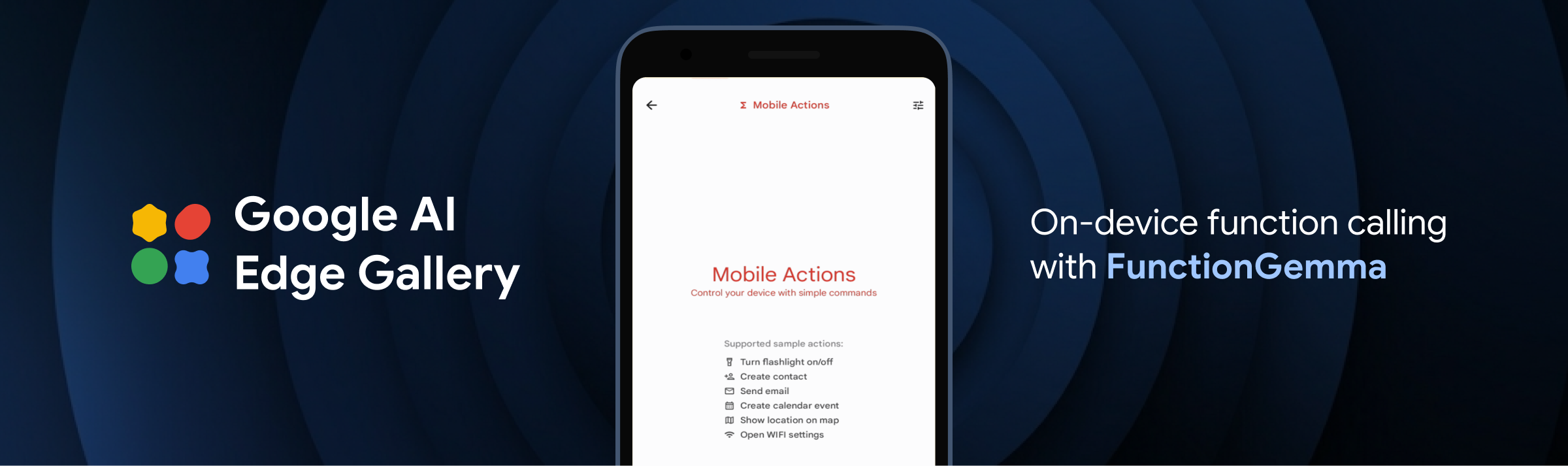
The Mobile Actions demo leverages FunctionGemma to reimagine assistant interaction as a fully offline capability. It allows the model to parse natural language commands—such as "Show me the San Francisco airport on map," "Create a calendar event for 2:30 PM tomorrow for cooking class," or "Turn on the flashlight"—and identify the correct OS tool or app intent to execute the command.
The Tiny Garden demo is an interactive mini-game that lets players manage a virtual plot of land using voice commands. For example, a command like "Plant sunflowers in the top row and water them" is decomposed by the model into specific app functions (like plantCrop or waterCrop) targeting grid coordinates. This demonstrates how Google’s compact 270M FunctionGemma model can adapt to highly specific, custom game or app logic directly on a mobile phone, without requiring any server pings.
Now you've seen these demo experiences in action, you may want to adapt this approach for your own custom use cases. For that, you can fine-tune your own version and implement function calling in the app.
Building on the cross-platform capabilities of Google AI Edge, we are thrilled to bring the full experience of our Android app to the iOS ecosystem with the launch of the Google AI Edge Gallery available in the App Store. Now, iOS developers and enthusiasts can explore the same rich, on-device features, including multi-turn AI Chat, Ask Image queries, and Audio Scribe for local transcription. Most importantly, the iOS app includes our agentic demonstrations, Mobile Actions and Tiny Garden, showcasing how sophisticated tool-calling and function-calling can perform seamlessly on Apple hardware. By leveraging the unified power of the Google AI Edge stack, we’re ensuring that the best of on-device performance, privacy, and offline reliability is accessible to everyone, regardless of their mobile platform.
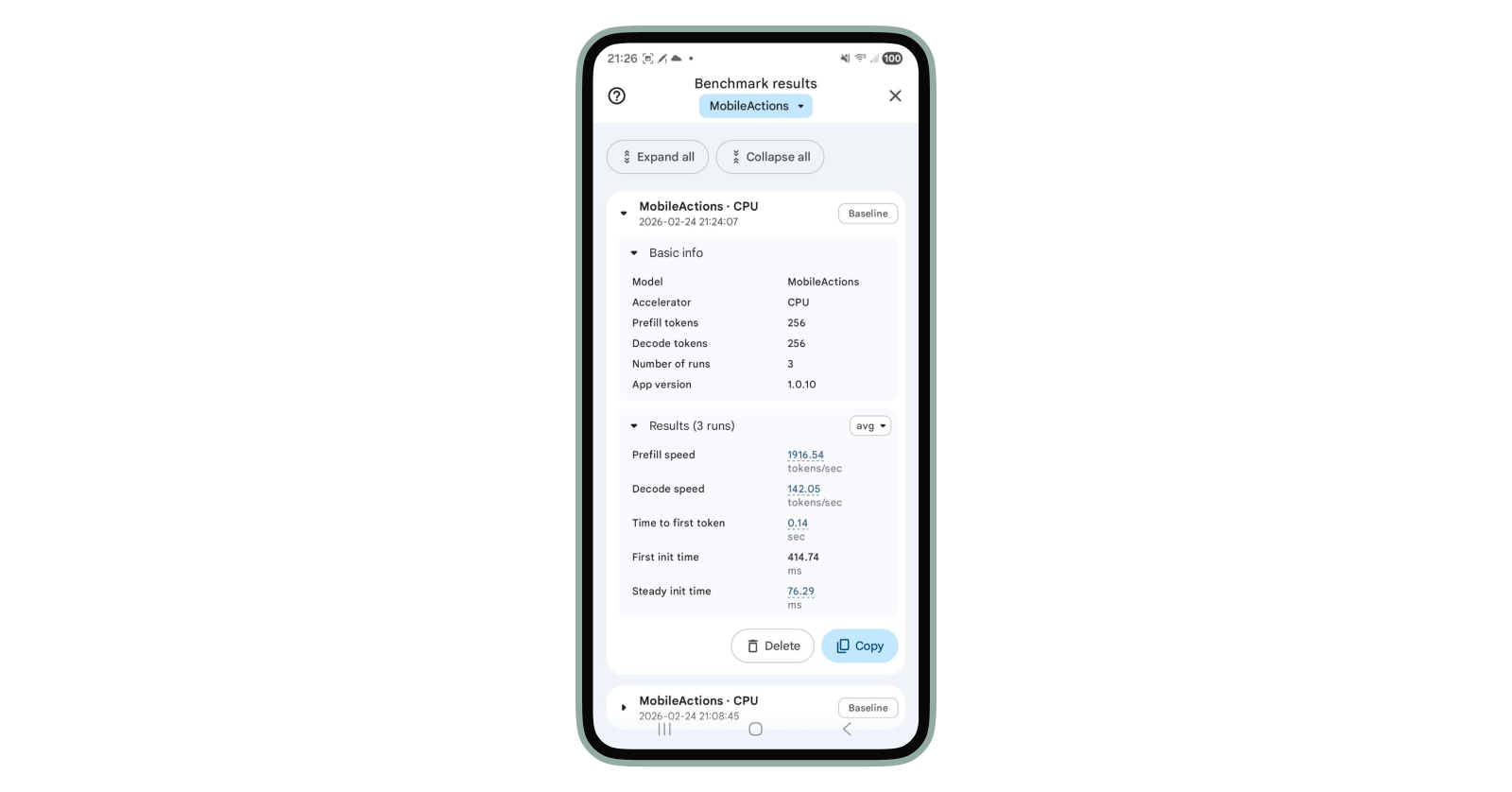
Want to see this speed in action? You can now benchmark these models directly within the Gallery app across your own devices (available on Android; coming to iOS soon).
Using Mobile Actions as an example, the performance is blazingly fast on CPU—clocking in at 1916 tokens/sec (prefill) and 142 tokens/sec (decode) on a Pixel 7 Pro.
Here is how to run your own benchmarking tests:
Ready to build your first local agent? Here is how you can dive in:
We can’t wait to see the agentic features you’ll bring to life. Happy coding!
We'd like to extend a special thanks to our key contributors for their foundational work on this project: Francesco Visin, Hriday Chhabria, Jiageng Zhang, Jing Jin, Kat Black, Marissa Ikonomidis, Matthew Chan, Ravin Kumar, Rishika Sinha, Sahil Dua, Xu Chen, Na Li, Yinghao Sun, Yishuang Pang
We also gratefully acknowledge the significant contributions from the following team members: Byungchul Kim, Deepak Nagaraj Halliyavar, Fengwu Yao, Jae Yoo, Jenn Lee, Sahil Dua, Weiyi Wang, Xiaoming Hu, Yasir Modak, Yi-Chun Kuo, Yu-hui Chen, Zhe Chen
This effort was made possible by the guidance and support from our leadership: Cormac Brick, Kathleen Kenealy, Matthias Grundmann, Ram Iyengar , Sachin Kotwani

Developer’s Guide to Building ADK Agents with Skills
Boost Training Goodput: How Continuous Checkpointing Optimizes Reliability in Orbax and MaxText

Jump to play: Building with Gemini & MediaPipe
Bring state-of-the-art agentic skills to the edge with Gemma 4