As of March 31, users in the US can now update their Google Account username while keeping their account, inbox, and data fully intact. If your platform uses Sign in with Google or identifies users by email, this post explains how this update affects your integration and any steps you may need to take.
Many users have old email addresses that no longer reflect who they are—whether due to a name change, a shift in professional identity, or simply a username that they have outgrown.
With this update, when a user changes their username, their original email address is retained as an alternative linked to the same account. Both emails point to the same inbox. Users can continue to sign in, send, and receive email using either. While this capability has been available to business Workspace users, we're now expanding it to consumer Google Accounts with a @gmail.com address.
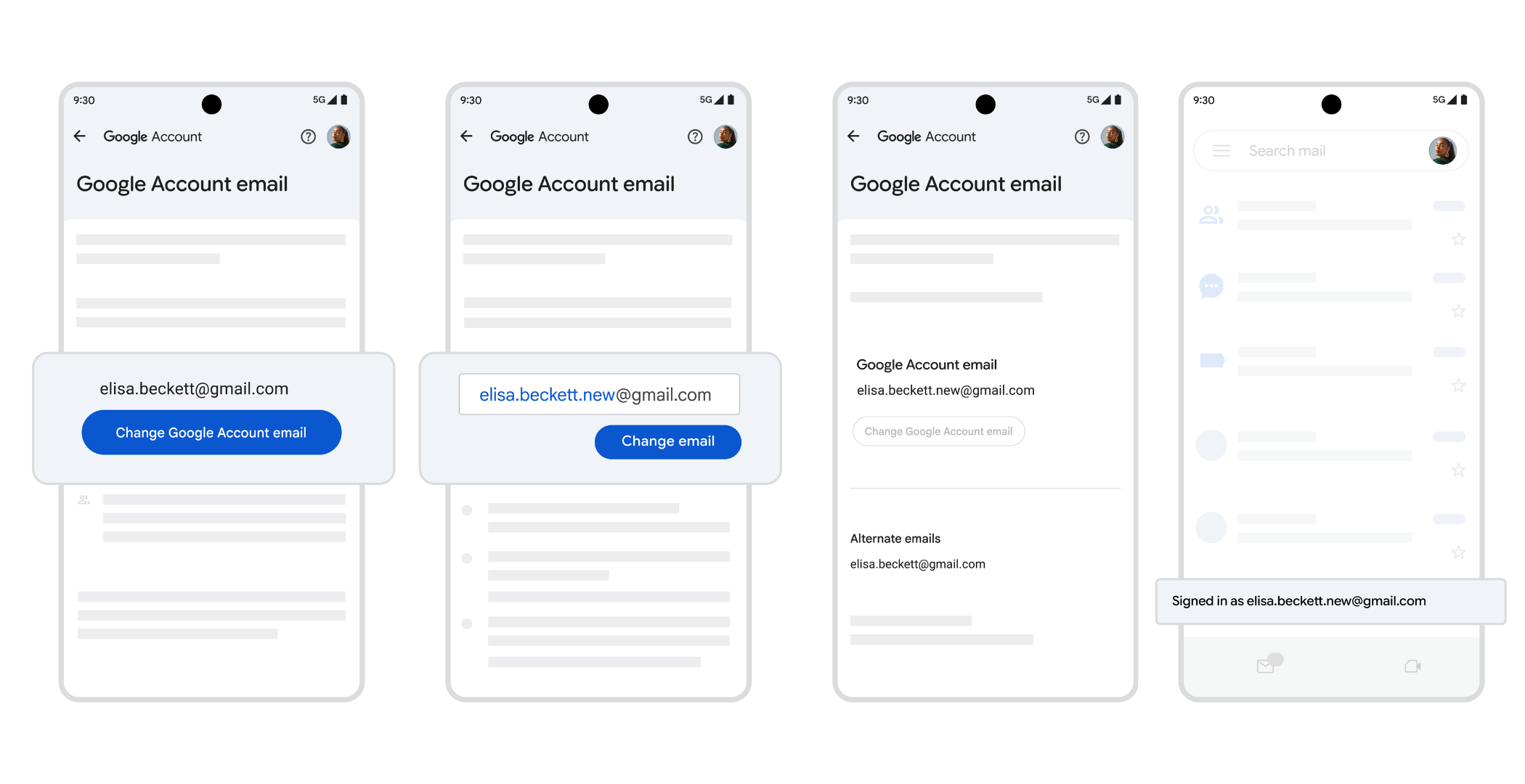
How this feature affects your users depends on how they authenticate with your platform and how your platform identifies them.
Sign in with Google users, identified by subject ID
If your platform already uses subject ID as the primary account identifier, no action is needed. The subject ID is stable and will not change, regardless of any changes made to the email address.
Sign in with Google users, identified by email address
If your platform uses Sign in with Google, and maps user accounts based off of the email address from the ID token, some users may experience disruption after changing their username.
As a best practice, we recommend migrating to subject ID as your primary user identifier. See the recommendations section below.
Manual account and password users
For users who sign in with email and password, the sign-in experience will be unaffected. The user’s old email address remains active, so they can continue signing in as normal. Since a user originally created the account on your platform using an email address and password, your platform has no subject ID on file; it only knows the email address.
To prevent this from occurring, allow users to update the email address associated with their account on your platform. This allows users to seamlessly sign in to their existing account using Sign in with Google, alongside email and password.
A note on passkeys
For users who use passkeys to sign into your platform, this feature will not impact their sign-in experience.
To ensure a smooth transition for your users, we recommend following these three steps:
We encourage you to review your current authentication options and implement these updates to maintain a seamless user experience.
With these improvements, we’re making users’ experience simpler and safer, so users can easily stay engaged on your platform. If you have any questions, visit developers.google.com.